LUAX PRO - Lua Static Site Generator with Decap CMS for Roblox Dev and Multipurpose Website
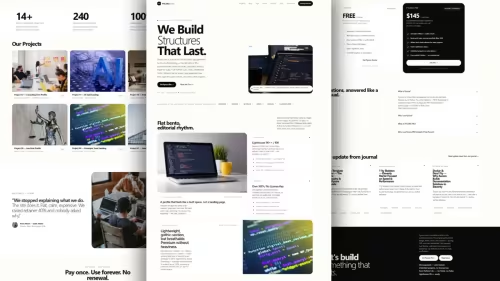
LUAX PRO is a premium Lua static site generator with Decap CMS, full docs system, and multipurpose theme. Includes a complete Roblox studio demo site as one example. One-time purchase $145, lifetime license.
luaxpro • lua-themes • lua-template • luassg • luax-template • website-themes • website-template • roblox-dev-theme • roblox-studio-website • multipurpose-theme • blog-template • docs-template • portfolio-template • agency-template • jamstackthemes • premiumthemes • featured • featuredpremium •

Table Of Content
- What Is LUAX PRO?
- The Demo You See Is Just One Example - Not The Limit
- Why Roblox Devs Love LUAX PRO
- Why Agencies and Freelancers Love LUAX PRO
- All-In-One - One ZIP, Nothing Else To Buy
- Simple By Design - A Solution, Not A Complication
- What Is Included In LUAX PRO?
- Pricing - One-Time, Lifetime
- Who Is LUAX PRO For?
- Chapter 1 - What Is A Static Site Generator?
- Chapter 2 - Install Lua 5.4
- Chapter 3 - Download LUAX PRO and Prepare Your Project
- Chapter 4 - Install and Run LUAX PRO - Your First Build
- Chapter 5 - Run Decap CMS Locally
- Chapter 6 - Log In To Decap CMS
- Chapter 7 - Update Site Metadata
- Chapter 8 - Update Homepage Content
- Chapter 9 - Update FAQ Page
- Chapter 10 - Update About Page
- Chapter 11 - Update Contact Page
- Chapter 12 - Update All Controller Files
- Chapter 13 - Docs Collection
- Chapter 14 - Services Collection
- Chapter 15 - Projects Collection
- Chapter 16 - Push Your Project To GitHub
- Chapter 17 - Deploy To Netlify With Decap CMS
- Chapter 18 - Deploy To Cloudflare, Vercel, Or Any Static Host
- Chapter 19 - Templates - LAX For Beginners
- Chapter 20 - Troubleshooting - Most Common Beginner Errors
- Final Words - What To Do Next
LUAX PRO - Lua Static Site Generator with Decap CMS for Roblox Dev and Multipurpose Website
Introduction
A premium theme and solution for LUAX LUA SSG
LUAX PRO is not just a theme. It is a complete solution for building websites with Lua.
LUAX is a static site generator built with Lua. It was created to make building static websites simple, fast, and fun.
Lua is lightweight, fast, and easy to learn. It is often used in game development and embedded systems, but it is also perfect for building CLI tools and web generators.
The problem with most website projects is not writing code. The problem is everything around it: setting up a theme, setting up collections, setting up SEO, setting up docs, and setting up a way for clients to edit content without breaking the site.
LUAX PRO LUABLOX ROBLOX DEV THEMES solves all of that in one ZIP.
You get a multipurpose premium theme, a full docs system, Decap CMS admin panel, and a complete demo site. You write content in Markdown. LUAX PRO turns it into a complete, production-ready static website.
PART 1 - SEO AND MARKETING - WHAT LUAX PRO IS AND WHY IT EXISTS
What Is LUAX PRO?
LUAX PRO is a premium static site generator built in pure Lua.
It is the premium edition of LUAX, the open-source Lua static site generator at https://luax.axcora.com/
You write content in simple Markdown with YAML frontmatter. LUAX PRO compiles it into clean, static HTML. No database. No backend to maintain. No complex build pipeline.
LUAX PRO is for people who want to ship real websites: agency websites, freelancer portfolios, business websites, blogs, docs sites, landing pages, creator sites, and Roblox studio websites.
Live Demo: https://luaxpro.axcora.com/
Docs Demo: https://luaxpro.axcora.com/docs/
Buy LUAX PRO: https://creativitaz.gumroad.com/l/luaxpro
Free Engine: https://luax.axcora.com/
The Demo You See Is Just One Example - Not The Limit
This is important, because many people misunderstand LUAX PRO at first glance.
The site at https://luaxpro.axcora.com/ is LuaBlox - a Roblox studio website.
That is just ONE example of what LUAX PRO can build. It exists to prove one thing: LUAX PRO can build a complete, real, production-ready client website - not a fake landing page.
LUAX PRO itself is MULTIPURPOSE.
The same theme. The same structure. The same engine. Just change the content, and it becomes:
- An agency website that sells your services
- A freelancer portfolio that gets you hired
- A company / business website that looks professional
- A personal blog that brings traffic
- A documentation site for your product or tool
- A landing page that converts
- A creator / studio website that shows your work
You are NOT buying a Roblox theme. You are buying a multipurpose theme - with a complete Roblox demo included, so you can see exactly how a finished site looks, how collections work, and how fast you can ship.
If you ARE a Roblox dev, you are already done - the demo is your starting point.
If you are NOT a Roblox dev, delete the demo content, write yours, and ship. The hard part - theme, layouts, SEO, CMS, docs - is already done for you.
Why Roblox Devs Love LUAX PRO
If you are a Roblox dev, Lua dev, Luau scripter, game studio, or creator, you don't need a generic portfolio theme. You need a theme that already speaks Roblox.
LUAX PRO already has:
The language: Luau, DataStore, ProfileStore, Rojo, TweenService, CollectionService
The metrics: Visits, CCU, FPS, save integrity
The services: DataStore systems, Rojo pipelines, simulator systems
The projects: Battle royale, obby, simulator, tycoon, horror
The blog topics: Performance, anti-exploit, DataStore, Rojo
The demo includes:
Homepage for a Roblox studio with stats: 168M+ combined game visits, 60 FPS mobile frame target, 24+ shipped experiences, 99.98% DataStore save integrity
Services for Roblox devs:
- DataStore and Leaderboard Systems - Session-locked ProfileStore, OrderedDataStore, wipe recovery
- Rojo and Studio Team Pipelines - Git-backed Rojo, Wally, Selene, automated place builds
- Obby, Simulator and Tycoon Systems - Hatching, rebirth, conveyors, checkpoints, progression pacing
Projects - Roblox case studies:
- Zone Zero Battle Royale - 50-player battle royale, 9.5M visits
- Obby World Adventure - 240-stage obby, 31.2M visits, 8,900 peak CCU
- Pet Hatch Simulator X - Weighted RNG, rainbow crafting, 12.9M visits
Blog for Roblox devs:
- How to build a simulator game in Roblox
- DataStoreService best practices
- How to optimize Luau performance
- How to prevent exploits in your Roblox game
- ProfileStore session locking, RemoteEvent vs BindableEvent, Rojo Git workflow
You don't start from blank. You start from a studio site that already looks like you.
Why Agencies and Freelancers Love LUAX PRO
If you build websites for clients, LUAX PRO is a repeatable solution.
One theme, unlimited clients. One workflow, unlimited projects.
You don't need to rebuild homepage, services, projects, blog, docs, SEO, and CMS for every client. LUAX PRO already has all of that.
Your workflow becomes:
- Copy LUAX PRO
- Replace demo content with client content in Decap CMS or Markdown
- Change colors, logo, and metadata
- Build and deploy dist/ folder
- Hand over to client - they edit from Decap CMS, you move to next project
That is why LUAX PRO pays for itself on the first client project alone.
All-In-One - One ZIP, Nothing Else To Buy
Most tools make you buy the theme, then buy the CMS, then buy the docs plugin, then buy the SEO plugin.
LUAX PRO includes everything in one purchase:
- Multipurpose Premium Theme
Production-ready theme with dark mode, responsive navigation, and clean layouts for home, blog, services, projects, docs, and tags. 15 layouts + 50+ partials. Ship it as-is tomorrow, or customize colors and sections to match your client brand.
- Full Docs System Included
A complete documentation system is already built-in - see it live at https://luaxpro.axcora.com/docs/
Sidebar navigation, article layout, search, pagination, table of contents, code blocks, footnotes. 18 ready pages covering installation, Decap setup, content editing, and deployment.
You don't need to build docs from scratch. You already have a docs site that looks like a real product.
Perfect for: SaaS docs, tool docs, API docs, client handover docs, internal guides.
- Decap CMS Admin Panel Included
Your clients don't want to learn Markdown. They don't want to touch code. They don't want to break your design.
With Decap CMS, they don't have to.
They just open https://yourdomain.com/admin/ in their browser and edit posts, services, projects, pages, FAQ, about, and contact - with images, previews, and one-click publish. Changes are saved back as Markdown to your repo.
You stay focused on building. They stay focused on content. No more endless small text-change requests for every typo.
Decap CMS is already configured. Collections for Posts, Pages, Services, Projects, and Docs are ready to use.
- Collections That Sell For You
- Services collection - showcase what you sell, with detail pages and pricing sections
- Projects collection - showcase your best work with galleries, highlights, and case studies that convince clients to hire you
- Blog collection - with tags, pagination, and RSS to bring you traffic for years
- Docs collection - to look professional and reduce support questions
- SEO Built-In, Not Bolted On
Sitemap, RSS, robots.txt, Open Graph, Twitter Card, canonical, and JSON-LD are generated automatically from your frontmatter. No plugins to install. No config files to fight.
You write: title, description, image, tags
LUAX PRO does the rest. Your site is ready to rank, ready to share, and ready to look beautiful when someone pastes your link on WhatsApp, X, Discord, or LinkedIn.
Simple By Design - A Solution, Not A Complication
LUAX PRO follows a simple workflow that anyone can learn in minutes:
- Write content in Markdown
- Run: luax build
- Deploy the dist/ folder
That's it.
Your content lives in src/:
src/posts/.md -> dist/.html
src/services/.md -> dist/.html
src/projects/.md -> dist/.html
src/docs/.md -> dist/.html
public/ -> dist/
Your templates live in templates/:
templates/layouts/ - 15 ready layouts
templates/partials/ - 50+ ready partials grouped by section
Your site config lives in one file:
data/metadata.yaml - title, description, URL, navbar, footer, home sections
Simple means your team can learn it fast. Simple means your future self will still understand the project in 2 years. Simple means fewer bugs, fewer surprises, and more time for real work.
What Is Included In LUAX PRO?
When you buy LUAX PRO, you get the complete ZIP package, ready to build and deploy:
- Complete multipurpose premium theme
- Decap CMS admin panel - public/admin/
- Full docs system - 18 ready pages
- Full LuaBlox demo site - one complete example: Roblox studio website
- Services collection - 7 ready service pages
- Projects collection - 7 ready project pages
- Blog collection - 7 ready blog posts with tags + RSS
- Docs collection - 18 ready pages
- 15 layouts + 50+ partials
- Built-in SEO system
- 50+ images + video assets
- Config files for Netlify, Vercel, GitHub Pages, Cloudflare Pages
- Priority email support
- Free lifetime updates
You also get the full LUAX engine:
- build.lua - build engine in pure Lua
- lax.lua - LAX template engine
- yaml.lua - YAML parser
- json.lua - JSON parser
- start.lua + router.php - local dev server
- luax / luax.sh / luax.bat - launchers for Linux, Mac, and Windows
Pricing - One-Time, Lifetime
LUAX PRO: $145 one-time purchase, lifetime license.
No subscription. No monthly fee. No yearly fee. No renewal. No per-project fee. No per-domain fee.
Unlimited projects. Unlimited domains. Unlimited clients. Free lifetime updates. 30-day money-back guarantee.
You MAY build, sell, and deliver unlimited finished websites built with LUAX PRO to your clients. You MAY charge clients for those websites.
You MAY NOT resell or share LUAX PRO itself as a theme, starter kit, or product.
Free Engine: $0 forever - https://luax.axcora.com/
LUAX PRO: $145 one-time - https://creativitaz.gumroad.com/l/luaxpro
Who Is LUAX PRO For?
LUAX PRO is for you if:
- You are a Roblox dev and you want a studio website that sells
- You are a freelancer and you want to deliver client websites faster
- You run an agency and you want one theme you can reuse for unlimited different clients
- You are a developer who loves Lua, simplicity, and clean solutions
- You are a creator who wants a fast blog, portfolio, or docs site without a heavy backend
- You want to give your clients an easy admin panel without building a CMS yourself
LUAX PRO is NOT for you if you need a dynamic web app with user login, database, and real-time features. For that, order a Custom Web App instead.
PART 2 - EDUCATIONAL GUIDE FOR BEGINNERS - COMPLETE DOCUMENTATION
This part is for beginners. If you have never used a static site generator before, start here. We will go step by step, from zero to deployed website. All guides below are also available at https://luaxpro.axcora.com/docs/
Chapter 1 - What Is A Static Site Generator?
A static site generator is a tool that turns your content into static HTML files.
You write content in Markdown - a simple text format. The generator turns it into HTML, CSS, and JavaScript files. Those files are your website. You upload them to any host, and your site is live.
Why static?
- No database to maintain
- No server to patch
- No backend to hack
- Hosting is often free
- Pages load as static files
LUAX PRO is a static site generator built in pure Lua. Lua is a small, fast programming language. It is often used in game development, especially Roblox with Luau. LUAX PRO uses Lua to build your site, so you only need Lua installed - nothing else heavy.
Chapter 2 - Install Lua 5.4
Lua is the only runtime LUAX PRO needs. Installation takes less than two minutes because Lua is less than 1MB.
Step 1 - Check if Lua is already installed
Open your terminal - Command Prompt on Windows, Terminal on Mac / Linux - and type:
lua -v
If you see Lua 5.4.x, you already have Lua and can skip to Chapter 3. If you see command not found, continue below.
Step 2 - Windows Installation
Option A - Chocolatey (Recommended)
If you have Chocolatey installed, run this in Administrator Command Prompt:
choco install lua
Option B - Manual Download
- Go to luabinaries.sourceforge.net
- Download the Windows x64 binary for Lua 5.4
- Extract the ZIP file to C:\lua
- Add C:\lua to your system PATH: Right-click This PC > Properties > Advanced system settings > Environment Variables > Under System variables, find Path, click Edit > Click New, type C:\lua, click OK
- Close and reopen Command Prompt, then verify with lua -v
Step 3 - macOS Installation
Using Homebrew (Recommended)
Open Terminal and run:
brew install lua
If you do not have Homebrew, install it first:
/bin/bash -c "$(curl -fsSL https://raw.githubusercontent.com/Homebrew/install/HEAD/install.sh)"
Then run brew install lua again.
Verify:
lua -v
You should see Lua 5.4.x.
Step 4 - Linux Installation
Ubuntu / Debian:
sudo apt update
sudo apt install lua5.4
Fedora / CentOS:
sudo dnf install lua
Arch Linux:
sudo pacman -S lua
Verify:
lua -v
Step 5 - If lua -v Still Fails
Your PATH is not set correctly. On Linux / Mac, find where Lua was installed:
which lua5.4
If it returns /usr/bin/lua5.4, create a symlink:
sudo ln -s /usr/bin/lua5.4 /usr/local/bin/lua
Then try lua -v again.
Full guide: https://luaxpro.axcora.com/docs/02-installation/
Chapter 3 - Download LUAX PRO and Prepare Your Project
Step 1 - Buy and Download
Buy LUAX PRO at https://creativitaz.gumroad.com/l/luaxpro
Download the ZIP file from Gumroad after purchase.
Step 2 - Extract
Unzip the ZIP. You will get a folder called luaxpro. That folder is your project.
Step 3 - Understand The Folder Structure
build.lua - Build engine in pure Lua
lax.lua - LAX template engine
yaml.lua - YAML parser
json.lua - JSON parser
start.lua - Dev server
luax, luax.sh, luax.bat - Launchers
router.php - PHP dev router alternative
data/metadata.yaml - Site config
src/ - Your content in Markdown
templates/layouts/ - 15 layouts
templates/partials/ - 50+ partials
public/ - Static assets: css, js, images
public/admin/ - Decap CMS config + admin UI
netlify.toml - Netlify config, already included
vercel.json - Vercel config, already included
.github/workflows/deploy.yml.example - GitHub Pages example
src/ content:
src/index.md - Homepage
src/about.md - About page
src/contact.md - Contact page
src/faq.md - FAQ page
src/privacy.md - Privacy page
src/posts.md, src/projects.md, src/services.md, src/docs.md - Listing pages
src/docs/ - Docs collection, 18 pages
src/posts/ - Blog collection, 7 posts
src/projects/ - Projects collection, 7 projects
src/services/ - Services collection, 7 services
dist/ is generated when you build. dist/ is what you deploy. dist/ is not in the ZIP.
Chapter 4 - Install and Run LUAX PRO - Your First Build
Step 1 - Open Terminal In Project Folder
Open terminal / Command Prompt, go to your luaxpro folder.
Step 2 - Make Binary Executable (Linux / Mac only)
If you use luax binary on Linux / Mac, make it executable:
chmod +x luax
chmod +x luax.sh
Step 3 - Run Your First Build
Run:
luax build
On Linux / Mac: ./luax.sh build
If luax is not in PATH: lua build.lua
If build succeeds, you will see a new folder called dist/. That is your website.
Step 4 - Preview Your Site
Run:
luax start
Open http://localhost:8080 in your browser.
You will see the LuaBlox demo site. That demo is just an example. LUAX PRO is multipurpose.
Step 5 - Stop Server
Press Ctrl + C in terminal to stop the server.
Chapter 5 - Run Decap CMS Locally
Decap CMS is the admin panel that lets you and your clients edit content from browser, without code.
To run Decap CMS locally, you need 2 terminals open at the same time.
Terminal 1 - LUAX PRO build server:
luax start
Terminal 2 - Decap CMS proxy:
npx decap-server
Then open http://localhost:8080/admin/ in your browser.
Why 2 terminals? Terminal 1 serves your website. Terminal 2 lets Decap CMS save changes back to your files locally.
For beginners: Use this local setup while you learn. For production, see Chapter 17 and 18.
Chapter 6 - Log In To Decap CMS
Step 1 - Open Admin Panel
Open http://localhost:8080/admin/ locally, or https://yourdomain.com/admin/ in production.
Step 2 - Login
Locally: You can login without real auth, Decap uses local proxy.
In production on Netlify: Login with Netlify Identity / GitHub. You must enable Identity + Git Gateway first, see Chapter 17.
Step 3 - Understand The Interface
After login, you will see Collections on the left:
- Site Metadata
- Homepage
- Pages
- Posts
- Services
- Projects
- Docs
- FAQ, About, Contact
Click any collection, click an entry, edit fields in the form, click Save / Publish. No code needed.
Step 4 - What Happens When You Save?
Decap CMS saves your changes as Markdown files in src/. For example, editing a blog post in Decap CMS updates src/posts/your-post.md automatically.
That is why Decap CMS is powerful: clients use a friendly form, you get clean Markdown files.
Chapter 7 - Update Site Metadata
Site metadata is your site identity: title, description, URL, navbar, footer, social links.
Priority: Edit via Decap CMS first. Code below is the alternative.
Via Decap CMS:
Open /admin/ > Site Metadata > Change title, description, URL, navbar logo and menu, footer, social links > Save.
Via Code:
Edit data/metadata.yaml
What to change:
url: https://yourdomain.com
title: Your Site Name
description: Your SEO description
image: /images/logo.webp
favicon: /images/favicon.webp
navbar logo and menu
footer text and links
home title and description
Example: If you change title in metadata, it changes everywhere: homepage, SEO tags, footer, browser tab.
Chapter 8 - Update Homepage Content
Homepage is the most important page. It is controlled by src/index.md.
Via Decap CMS:
Open /admin/ > Homepage > Edit hero, services, projects, testimonials, pricing, FAQ, CTA.
Via Code:
Edit src/index.md
What you can change:
Hero title, description, buttons, stats
Services section - which services to show
Projects section - which projects to show
Testimonials
Pricing tiers
FAQ
CTA - Call to Action
Tip for beginners: Change hero first. Hero is the first thing visitors see. Make it clear: what you do, who you help, what to do next.
For Roblox example: Hero says Roblox Lua Developer Building High-Retention Worlds.
For agency example: Hero should say Web Design Agency Building Fast Websites For Small Business.
Same structure, different content.
Chapter 9 - Update FAQ Page
FAQ page answers common questions and helps conversion.
Via Decap CMS:
Open /admin/ > FAQ > Add, edit, delete questions.
Via Code:
Edit src/faq.md
How to write good FAQ:
- Keep questions short, like real customer questions
- Keep answers short, 1-2 sentences
- Answer price, process, timeline, and guarantee questions first
- Don't use jargon
Example good FAQ:
Q: Can I use LUAX PRO for client work?
A: Yes. One purchase covers unlimited client projects.
Chapter 10 - Update About Page
About page builds trust. People buy from people they trust.
Via Decap CMS:
Open /admin/ > About > Edit mission, founder profile, toolchain, timeline.
Via Code:
Edit src/about.md
What to include:
Mission - Why you do what you do
Founder profile - Who you are, photo, short bio
Toolchain - Tools you use, for Roblox: Luau, Rojo, Wally, Selene
Timeline / Journey - Milestones, shipped projects
Replace demo founder image in public/images/ with your own image. Keep image size small for fast loading.
Chapter 11 - Update Contact Page
Contact page is where visitors become clients.
Via Decap CMS:
Open /admin/ > Contact > Edit form, Formspree endpoint, project types, budget ranges, contact channels.
Via Code:
Edit src/contact.md
What to configure:
- Contact form - Name, email, project type, budget, message
- Formspree endpoint - If you use Formspree, paste your Formspree form ID here. Without it, form will not send.
- Project types - Example: Full Game, Scripting Only, DataStore Migration, UI Design
- Budget ranges - Example: $500-$1,000, $1,000-$5,000, $5,000+
- Direct contact channels - Email, WhatsApp, Discord, X, LinkedIn
Tip: Make contact form short. Long forms scare people away. Ask only: Name, Email, Project Type, Budget, Message.
Chapter 12 - Update All Controller Files
Controller files are the main pages in src/ root: index.md, about.md, contact.md, faq.md, privacy.md, posts.md, projects.md, services.md, docs.md.
They control listing pages and single pages.
Collection items are files inside src/docs/, src/posts/, src/services/, src/projects/.
Difference:
- Controller = The page that lists things. Example: src/services.md controls the Services listing page.
- Collection item = One thing in the list. Example: src/services/luau-scripting.md is one service.
Via Decap CMS:
Edit controllers in /admin/ > Pages.
Via Code:
Edit files directly in src/
For beginners: You rarely need to edit controllers deeply. Start by editing collection items in Decap CMS, then edit controllers when you want to change listing page title and description.
Chapter 13 - Docs Collection
Docs collection is for documentation pages. LUAX PRO already includes 18 docs pages as example.
Via Decap CMS:
Open /admin/ > Docs > Add, edit, organize docs pages.
Via Code:
Add, edit docs in src/docs/ folder.
To add new docs page via code:
- Create new file src/docs/19-my-new-page.md
- Add frontmatter: title, description, layout: docs-single.lax
- Write content in Markdown
- Run luax build
Ordering is by filename: 01-, 02-, 03-, etc. Rename to reorder.
Docs list is controlled by src/docs.md controller.
Live example: https://luaxpro.axcora.com/docs/
Docs are powerful for: SaaS docs, tool docs, game docs, client handover docs. They make you look professional and reduce support questions.
Chapter 14 - Services Collection
Services collection is for what you sell.
Via Decap CMS:
Open /admin/ > Services > Add and edit service packages.
Via Code:
Add and edit services in src/services/ folder.
One file = one service.
Frontmatter you can use: title, description, image, layout: service-detail.lax, price, pricing tiers, FAQ items.
Listing page is src/services.md.
To add new service via code: copy one existing service file, rename it, change title and content, run luax build.
For Roblox example: Services are DataStore Systems, Rojo Pipelines, Simulator Systems.
For agency example: Services could be Web Design, SEO, Branding.
Same structure, different content.
Chapter 15 - Projects Collection
Projects collection is for your portfolio and case studies.
Via Decap CMS:
Open /admin/ > Projects > Add and edit project case studies.
Via Code:
Add and edit projects in src/projects/ folder.
One file = one project case study.
Frontmatter you can use: title, description, image, layout: project-detail.lax, tags, gallery images, code excerpts.
Listing page is src/projects.md.
To add new project via code: copy one existing project file, rename it, change title and content, run luax build.
How to write a good project case study:
- What was the problem?
- What did you build?
- What was the result? Visits, CCU, FPS, revenue, etc.
- What images / code prove it?
Example: Obby World Adventure - 240-stage obby, 31.2M visits, 8,900 peak CCU. That result sells more than any slogan.
Chapter 16 - Push Your Project To GitHub
GitHub is where your code lives, so it can be connected to Netlify, Cloudflare, Vercel, or any host.
Step 1 - Create Repo
Create new repo on GitHub. Don't add README, .gitignore, or license yet, keep it empty.
Step 2 - In Your luaxpro Folder, Run:
git init
git add .
git commit -m "luax pro"
git branch -M main
git remote add origin https://github.com/yourname/your-repo.git
git push -u origin main
Step 3 - Verify
Refresh GitHub page. You should see your files there.
Now your project is on Github and can be connected to any host. Every time you change content, push again and your host will rebuild automatically.
Chapter 17 - Deploy To Netlify With Decap CMS
Netlify is the best host if you want Decap CMS to work in production with login.
Step 1 - Import Repo
Go to Netlify, New Site, Import from GitHub, pick your repo.
Step 2 - Build Settings
Build command: lua build.lua
Publish directory: dist
Config is already in netlify.toml in the ZIP.
Step 3 - Enable Identity + Git Gateway
In Netlify: Site Settings > Identity > Enable Identity, then Services > Git Gateway > Enable.
This is required for Decap CMS login in production. Without it, /admin/ login will fail.
Step 4 - Invite Users
In Netlify Identity > Invite your client / yourself as user. They will get email invite to set password.
Step 5 - Custom Domain (Optional)
Set custom domain if you have one in Netlify > Domain settings.
Step 6 - Open Admin
Open https://yourdomain.com/admin/ and login with Netlify Identity.
If Netlify image has no Lua, use Cloudflare build command in Chapter 18 with curl + make posix.
Chapter 18 - Deploy To Cloudflare, Vercel, Or Any Static Host
Cloudflare Pages - Recommended
Cloudflare Pages has no Lua by default. Don't use plain lua build.lua.
In Cloudflare Pages > Create Application > Pages > Import from Git:
Build command, copy this exactly:
curl -sL https://www.lua.org/ftp/lua-5.5.1.tar.gz -o /tmp/lua.tgz && tar -xzf /tmp/lua.tgz -C /tmp && cd /tmp/lua-5.5.1 && make posix && cp src/lua /tmp/lua && cd - && /tmp/lua build.lua
Build output directory: dist
Framework preset: None
Use make posix, not make generic. generic disables io.popen and build will fail.
Import repo from GitHub. Config is already in vercel.json in ZIP.
Build command: lua build.lua
Output: dist
Rename .github/workflows/deploy.yml.example to deploy.yml
Push to main branch. Github will build and deploy dist/ automatically.
Any Other Host - AWS S3, cPanel, VPS, Firebase, Surge, Plesk:
Run luax build locally, then upload the dist/ folder contents to your host.
That's it. No server, no database needed.
For Decap CMS on these hosts, edit content locally with Decap CMS, then push / upload again.
Decap CMS in production on Cloudflare / Vercel / Github Pages: Use Decap locally for editing, not in production. Your content is still saved to your Git repo.
Chapter 19 - Templates - LAX For Beginners
LUAX PRO uses LAX templating. Only in .lax files, never in .md files.
In .lax files:
@layout(default) - Use layout
@for collections.posts - Loop posts
@for collections.services - Loop services
@for collections.projects - Loop projects
@for collections.docs - Loop docs
@if author / @else / @end - Condition
@include(header) - Partial
@title, @content, @url, @date - Page variables
@metadata.title, @metadata.url - Site variables
Example in .lax file:
@layout(default)
@title
@content
@for collections.posts limit=3
@title
@excerpt
@end
If you write docs ABOUT LAX inside a .md file, don't write raw @ and <. Use HTML entities: @ for @, < for <, > for >. So LAX does not try to execute it as code.
For beginners: You don't need to learn LAX deeply to use LUAX PRO. Start by editing content in Decap CMS. Learn LAX only when you want to customize layouts.
Chapter 20 - Troubleshooting - Most Common Beginner Errors
Error: lua: command not found
Fix: Install Lua 5.4 or 5.5.1 and add to PATH. Or use full path to lua binary. See Chapter 2.
Error: 'popen' not supported / io.popen error on Cloudflare
Fix: You used make generic. Use make posix in Cloudflare build command in Chapter 18.
Error: Decap CMS login fails in production
Fix: You must enable Identity + Git Gateway on Netlify. Or use Decap locally with decap-server. See Chapter 17.
Error: Site builds but images broken
Fix: Check image path in frontmatter. Images must be in public/images/ and referenced as /images/your-image.webp.
Error: Changes not showing
Fix: Run luax build again, hard refresh browser Ctrl + Shift + R, clear cache.
Error: Git push fails
Fix: Check remote URL, check you did git branch -M main, check GitHub repo is empty or you pulled first.
Final Words - What To Do Next
- Download LUAX PRO from Gumroad
- Install Lua - Chapter 2
- Build and preview - Chapter 4
- Edit via Decap CMS - Chapter 5 and 6
- Replace demo content with your content - Chapter 7 to 15
- Push to GitHub - Chapter 16
- Deploy to Netlify or Cloudflare - Chapter 17 or 18
- Hand over to client, they edit from Decap CMS
You don't need to be a Lua expert. You don't need to be a backend expert. You just need to follow these chapters one by one.
LUAX PRO is a solution: one theme, one CMS, one docs system, one ZIP. For Roblox devs, for agencies, for freelancers, for anyone who wants to ship websites without complication.
Buy LUAX PRO: https://creativitaz.gumroad.com/l/luaxpro
Live Demo: https://luaxpro.axcora.com/
Docs: https://luaxpro.axcora.com/docs/
Free Engine: https://luax.axcora.com/
Thank you for reading. Now go build, ship, and get paid.
Built with LUAX PRO - Pure Lua. Just Markdown.
Frequently Asked Questions
What buyers ask about LUAX PRO - Lua Static Site Generator with Decap CMS for Roblox Dev and Multipurpose Website
What is LUAX PRO, and what problem does it solve?
LUAX PRO is a premium static site generator built in pure Lua. It solves a simple problem: you want a complete website - homepage, services, projects, blog, docs - without setting up a heavy backend, without configuring many plugins, and without teaching your clients to edit code. You write content in Markdown, LUAX PRO turns it into static HTML, and your clients edit everything from Decap CMS in their browser. The ZIP includes a multipurpose premium theme, a full docs system, Decap CMS, and a complete Roblox studio demo site as one example of what you can build.
Is LUAX PRO only for Roblox developers?
No. The demo site at https://luaxpro.axcora.com/ is a Roblox studio website, but that is just one example. LUAX PRO itself is multipurpose. The same theme, same structure, same collections can build an agency website, freelancer portfolio, business website, blog, docs site, landing page, or creator site. If you are a Roblox dev, you get a head start because the demo is already done for you. If you are not a Roblox dev, you replace the demo content with your own content and ship.
Do I need to know Lua to use LUAX PRO?
No. To write content, you only need Markdown. To change site settings, you use Decap CMS in your browser or edit data/metadata.yaml. To customize templates, basic HTML is enough. Lua knowledge helps if you want to extend the engine, but it is not required for daily use.
What is Decap CMS and why is it included?
Decap CMS is a free, open-source admin panel for static sites. It is included in LUAX PRO so your clients can edit posts, services, projects, pages, FAQ, about, and contact from their browser at https://yourdomain.com/admin/ - without touching code or Markdown. Changes are saved back as Markdown to your repo. Decap CMS is already configured in LUAX PRO. Collections for Posts, Pages, Services, Projects, and Docs are ready to use.
What is included in the LUAX PRO ZIP?
Complete multipurpose premium theme, Decap CMS admin panel in public/admin/, full docs system with 18 ready pages, full LuaBlox demo site as one example, Services collection with 7 ready pages, Projects collection with 7 ready pages, Blog collection with 7 ready posts, Docs collection with 18 ready pages, 15 layouts + 50+ partials, built-in SEO system, 50+ images and video assets, config files for Netlify, Vercel, Github Pages, Cloudflare Pages, priority email support, and free lifetime updates.
How do I install and run LUAX PRO locally?
You need Lua only. Install Lua 5.4 or 5.5.1 on Windows, Mac, or Linux. Unzip the LUAX PRO ZIP, open terminal in the luaxpro folder, run luax build. On Linux / Mac, run ./luax.sh build. If luax is not in PATH, run lua build.lua. Then run luax start and open http://localhost:8080 in your browser.
How do my clients edit the site after I deliver it?
They open https://yourdomain.com/admin/ in their browser and login. They can edit homepage, services, projects, blog posts, docs, FAQ, about, contact, and site metadata from a clean panel. No code needed. On Netlify, enable Identity + Git Gateway so Decap CMS works in production. On Cloudflare, Vercel, or Github Pages, use Decap CMS locally for editing.
Can I use LUAX PRO for client work?
Yes, that is the main use case. LUAX PRO is a one-time purchase $145, lifetime license. One purchase covers unlimited projects, unlimited domains, and unlimited clients. You may build, sell, and deliver finished websites built with LUAX PRO to your clients. You may not resell or share LUAX PRO itself as a theme, starter kit, or product.
Do my clients need to buy LUAX PRO too?
No. Clients who receive a finished website do NOT need to buy LUAX PRO just to own and host that finished website.
What is the difference between Free Engine and LUAX PRO?
Free Engine is $0 forever at https://luax.axcora.com/ - pure Lua SSG, LAX template engine, Markdown support, basic theme, community support. LUAX PRO is $145 one-time - everything in Free, plus premium multipurpose theme, Decap CMS admin panel, Services + Projects collections, Blog with tags + RSS, full docs system, full LuaBlox demo site, priority email support, and free lifetime updates.
Where can I deploy a LUAX PRO site?
Deploy the dist/ folder to Cloudflare Pages, Netlify, Vercel, Github Pages, AWS S3, cPanel, VPS, Firebase, Surge, or any static host. Config files for Netlify and Vercel are already in the ZIP. For Cloudflare Pages, use the build command in the docs because Cloudflare has no Lua by default. Full deploy guides are in src/docs/ and at https://luaxpro.axcora.com/docs/
Do I get updates and support?
Yes. Free lifetime updates for LUAX PRO. No upgrade fee, ever. Priority email support is included with your purchase. Contact via https://luaxpro.axcora.com/ and mention your Gumroad order email.
URL: https://www.hockeycomputindo.com/themes/lua/luablox-roblox-themes-web/
Embed — Cloudinary
LUAX PRO - Lua Static Site Generator with Decap CMS for Roblox Dev and Multipurpose Website
https://www.hockeycomputindo.com/themes/lua/luablox-roblox-themes-web/
DOWNLOAD →$145 - Own 100%
LUAX PRO - Lua Static Site Generator with Decap CMS for Roblox Dev and Multipurpose WebsiteLUAX PRO is a premium Lua static site generator with Decap CMS, full docs system, and multipurpose theme. Includes a complete Roblox studio demo site as one example. One-time purchase $145, lifetime license.
DOWNLOAD →DEMO →Features
lua
lua-ssg
luax-pro-template
multipurpose-theme
roblox-dev-theme-example-included
decap-cms-admin-panel
full-docs-system-included
auto-seo
auto-collections
services-collection
projects-collection
blog-with-tags-and-rss
docs-collection
yaml-json-data
markdown-content
laxtemplate-engine
modern-host-support-netlify-vercel-cloudflare-github-pages-and-others
build-production-host-firebase-surge-cpanel-vps-direct-admin-plesk-and-others
GAX Pro — Premium Go Static Site Generator Theme | Hugo Alternative →
Need Custom?
Hire via Fiverr Escrow
72+ verified reviews, escrow protected.
ORDER CUSTOM →Selected Premium Themes
A focused collection, not a marketplace.

Custom Web Architecture
Escrow Protected
Headless commerce, booking systems, static site generators, and AI automation — engineered for speed, SEO, and full ownership. No subscriptions, no lock-in. - Commerce, booking, SSG, AI — built to own, not rent.
Rank-Ready Premium Website — Forensic SEO, 100 PageSpeed
Your competitors rank, you don't. Get a premium website with forensic SEO architecture — semantic HTML, canonical tags, Open Graph, JSON-LD, sitemap — crafted to rank and convert. 100 PageSpeed score from day one. No monthly fees, no rented platform.
Order Now -> Static Site GeneratorFree-Hosting JAMstack Migration — Jekyll, Astro, 11ty
Still paying monthly for a static website? Migrate from WordPress to high-performance JAMstack — 90+ PageSpeed, $0 hosting bill, content stays in your Git repo. Fast, secure, and fully yours.
Order Now -> Web PresenceLightweight Flat-File CMS — No WordPress Bloat
WordPress slow and vulnerable? Get a custom flat-file CMS with MySQL or SQLite — fast, secure, and 100% yours. No plugin updates, no security patches, no bloat. Just performance.
Order Now ->